In this entry
- What is a Discord bot?
- Planning the bot
Getting started
At some point, Discord became part of everyday life for me and the people around me. It is a place to talk with friends and people who share our interests. Plenty of other platforms offer text and voice chat, though. What keeps me using Discord is its extensibility, and bots are a big part of that.
What is a Discord bot?
If you have joined a reasonably large Discord server, you have probably seen unusual members with a bot badge. These are programs that respond to events and commands. They can moderate a server, play music in a voice channel, and handle many other tasks.
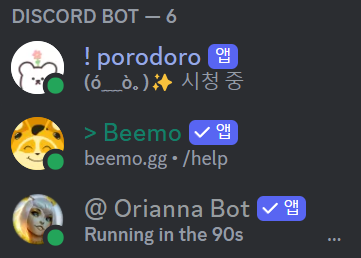
Bots connected to a League of Legends Discord server.
I run a small server and have added bots when I needed them. There are already many bots offering all sorts of features, but using them can still be frustrating. Sometimes one extra feature means adding another bot; sometimes none of them does exactly what I have in mind.
If it does not exist, make it.
That is why I decided to build a small Discord bot of my own.
Planning the project
There are several ways to work with the Discord API, using languages and runtimes such as Python, Java, JavaScript with Node.js, and C#. Python is the language I know best, so that is what I will use.
To use the API, register an application and create a bot.
Automating a regular user account as a self-bot is prohibited by Discord. Use a bot account and bot token.
The eventual goal is one bot that provides the features my server needs. These are mostly things I have personally wanted while using Discord. The point is to encourage participation and keep the community active.
I can group the features into member management, entertainment, and utilities. Member management covers warnings and bans. Entertainment includes games and a virtual economy. Utilities make everyday tasks easier, such as music playback or web searches.
| Category | Example features |
|---|---|
| Member management | Warnings, bans, user registration and deletion |
| Entertainment | Virtual wagering, minigames, simulated investing |
| Utilities | Music, text-to-speech, web search |
Implementing all of this will take a while, so I will work through it step by step. Since the entertainment features will include a virtual economy, I should first build the member management system that will record users’ assets.
Member management and entertainment are connected, whereas the utilities can mostly operate independently. I do not need to decide their exact development order yet.
I could assemble code from different places just to make something work, but I want to use this as a chance to learn API development properly. It will be a long journey.
Development environment
For readers following along, this was the environment recorded in May 2024:
- Windows 11, 64-bit
- Python 3.12.3
pip24.0discord.py2.x. The original entry incorrectly listed 3.7.4; the exact patch version used at the time could not be verified.- Visual Studio Code 1.89.1
댓글